Automatically translate and dub videos into 20+ languages while preserving the original voice, music, and even lip movements.
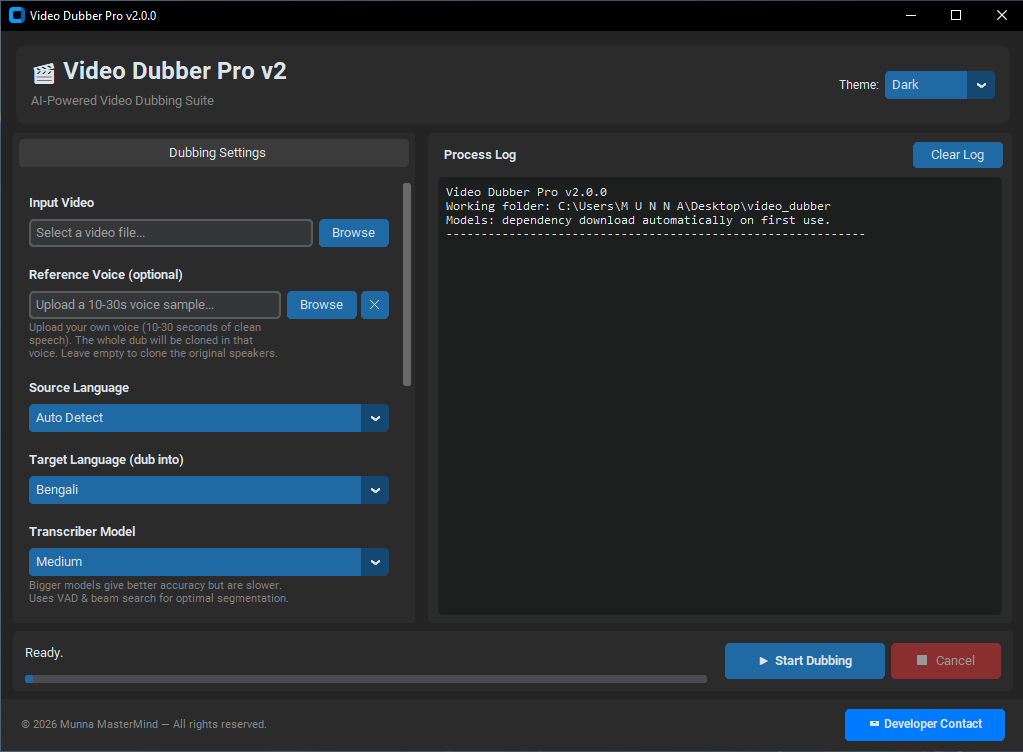
CustomTkinter • Dark/Light Mode
Built for creators who need fast, high‑quality localization without the cloud.
Analyzes the original speaker's voice and recreates it naturally in the target language—no robotic output.
Translate and dub into 20+ languages with contextual awareness, preserving tone and timing.
Every dubbed segment is time‑stretched to match the original video frame‑by‑frame, so lip movements stay believable.
Removes vocals cleanly so background music, sound effects, and room tone remain untouched.
Automatically re‑animates the speaker's mouth to match the new audio, making the dub look natural.
All processing happens on your machine. No video uploads, no cloud fees, no data leaks.
Under the hood, we combine the best and commercial tools to deliver professional results.
Isolates vocals from music and effects with near‑studio quality, even on noisy recordings.
Transcribes speech with exceptional accuracy, including punctuation and speaker turns, for precise timing.
Chooses the best translation method for your content—online or offline, fast or high‑quality.
Creates a unique voice model from just a few seconds of reference audio, without training.
Uses advanced algorithms to adjust speech speed without pitch distortion, keeping it natural.
All models run on your GPU or CPU, maximizing speed while keeping your data private.
Simple steps to go from a video to a fully dubbed version.
Choose any video file (.mp4, .mkv, .mov, etc.) and set source/target languages.
Choose translation engine, TTS model, Whisper size, and optional lip‑sync.
Watch the pipeline run: separation → transcription → translation → voice cloning → mixing → muxing.
The final dubbed video is saved in the output folder, ready to share.
A quick guide to the 19 built‑in voice models — so you always know which one to pick.
In Step 2 (Pick Engines) you choose a TTS engine from the Voice Model 1–19 dropdown. The names are generic on purpose, but every model belongs to one of two families: Voice Cloning models recreate the original speaker's voice in the new language, while Neural Stock Voice models speak with premium preset voices — faster, but the voice is not the original speaker's. Hover any model inside the app to see the same hints listed below.
Keep the original speaker's voice — cloned from just a few seconds of audio.
High‑quality preset voices — no cloning, but faster and lighter.
Just leave the dropdown on Auto (Recommended) — the app automatically selects the best voice model for your target language and hardware.
Pick the package that fits your needs and start dubbing today.
For occasional dubbing
One-time payment
Best for content creators
One-time payment
For studios & agencies
One-time payment
Download the latest installer and start localizing your videos today.
🔹 Requires Windows 10/11 with Disk Space 20GB+ · No cloud uploads · Models download on first run